วันเสาร์ที่ 30 พฤศจิกายน พ.ศ. 2556

แปลสรุปข่าว

           swatchmate cube: a portable color detecting device   

                            swatchmate cube อุปกรณ์ตรวจจับสีพกพา

melbourne-based start-up swatchmate has developed the ‘the cube’, a portable color detector that enables users to capture chroma samples with the click of a button. enabled via bluetooth, the device captures the saturation information from any surface, transmitting the data to a smartphone with corresponding coordinates. the gadget also seamlessly integrates with photoshop, working on demand as a color picker with an accuracy of less than 1 delta-E.

Melbourn พื้นฐานการเริ่มต้น swtchmate ได้พัฒนา the cube ( ลูกบาศก์ ) เครื่องตวาจหาสีแบบพกพา ช่วยให้ผู้ใช้สามารถตรวจจับตัวอย่างความเข้มของสี โดยการกดปุ่ม แล้วมันยังสามารถทำผ่านบูลทูธได้ด้วย อุปกรณ์ตจวจจับข้อมูลความเข้มของสีจากพื้นผิวใดๆก็ได้ การส่งผ่านข้อมูลสามารถไปยัง smartphone ที่อยู่ในพิกัดเดียวกันได้ ยิ่งไปกว่านั้นอุปกรณ์เก๋ไก๋นี้ยังเชื่อมกับ Photoshop ได้อย่างราบรื่น ด้วยการทำงานของอุปกรณ์ตวาจจับสีกับความแม่นยำอย่างน้อย 1 เดลต้า E
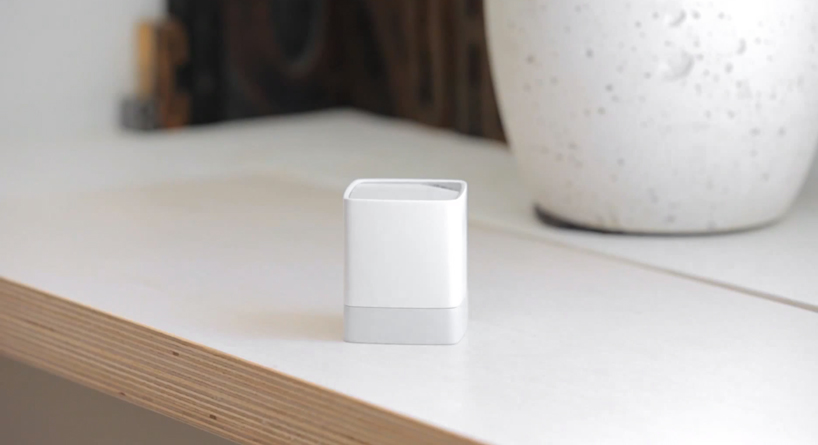


the portable color detector enables users to capture chroma samples with the click of a button
เครื่องตรวจจับสีแบบพกพา ช่วยให้ผู้ใช้ตรวจจับความเข้มของสีโดยแค่คลิกเดียว
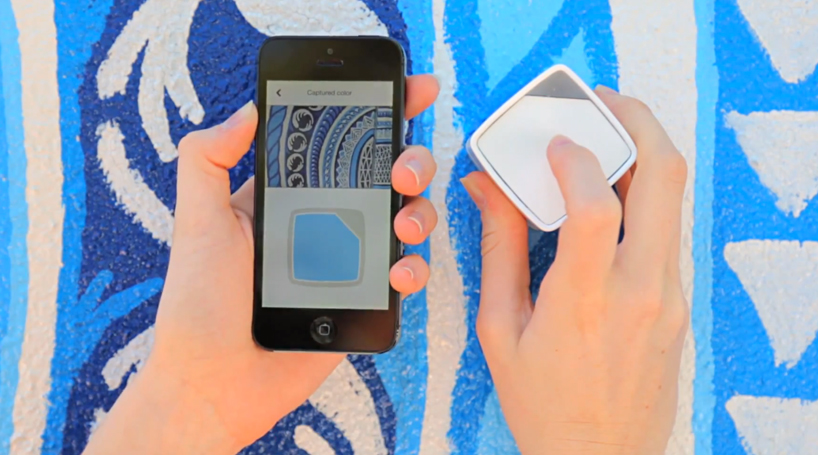

when paired with a phone, ‘the cube’ will output the color values via bluetooth
เมื่อจับคู่กับมือถือ the cube จะส่งสีที่ได้ผ่านไปยังบูลทูธ
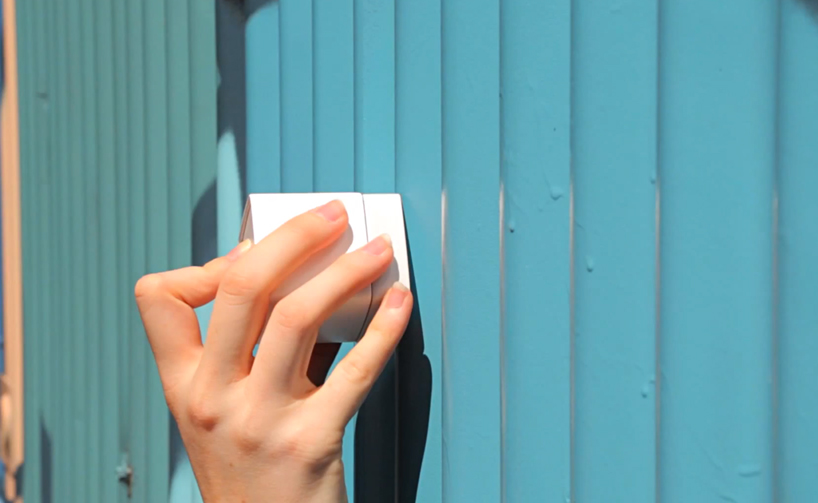

the ‘cube’ can be used on almost any surface
the cube สามารถใช้ได้เกื่อบทุกพื้นผิว
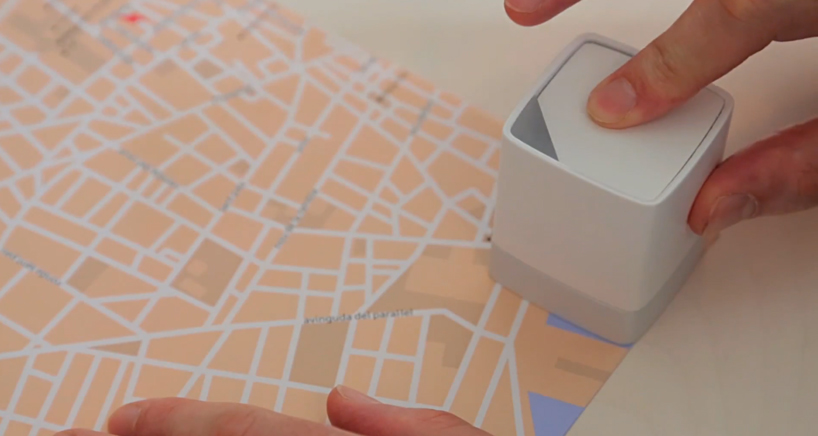

the device can sample paper or fabrics
อุปกรณ์นี้สามารถใช้กับพื้นผิวกระดาษ หรือ ผ้าก็ได้
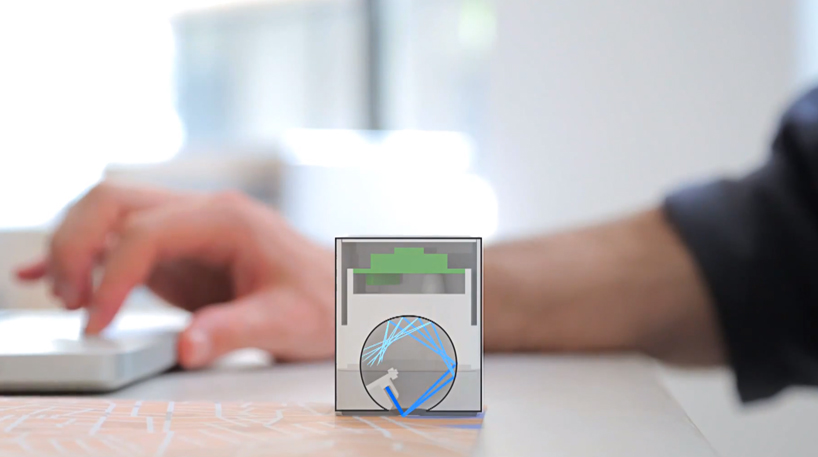

   the device captures the color information from any surface, transmitting the data to
                                                                   a smartphone

อุปกรณ์ตรวจจับข้อมูลของสีจากพื้นผิวใดๆก็ได้แล้วส่งข้อมูลไปยัง smartphone
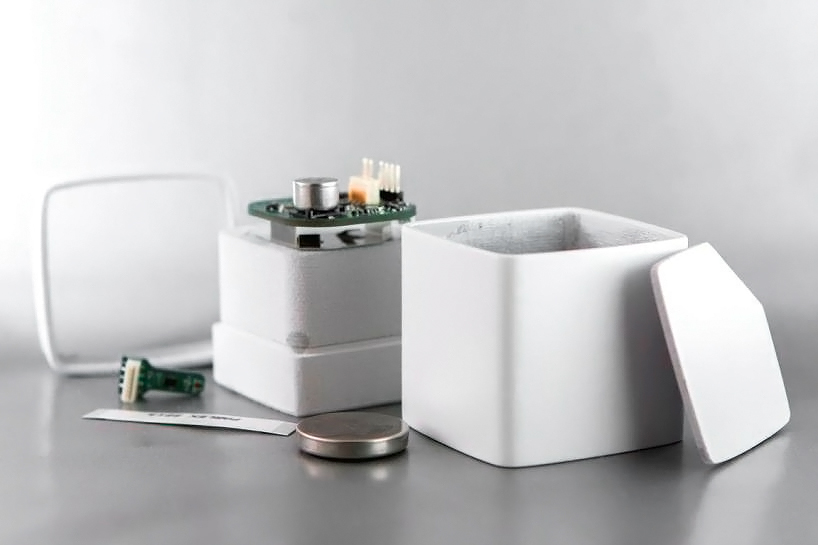


cube is made of simple parts arranged in a unique way
the cube ได้ทำขึ้นด้วยรูปแบบที่เรียบง่ายและมีลักษณะเฉพาะทาง


ขอขอบคุณที่มาของข่าว


วันพฤหัสบดีที่ 28 พฤศจิกายน พ.ศ. 2556

แปลสรุปข่าวบทความ


Get discounts on magazines with the Play Newsstand sale

      Now's the time to check out digital magazines available on the Google Play Store. With a sale to celebrate the launch of a new app, it's hard to beat these prices.


Not sure if reading a magazine on your phone or tablet works for you? Well, in honor of Google's Play Newsstand launch on Android, the search giant is offering more than 60 free or discounted magazines for you to try out.
Play Newsstand is actually a combination of Google Currents and Play Magazines. Having two separate app identities didn't make much sense, so it's nice to see Google wrap them together so quickly in comparison to its other services. That's right, I'm looking at you, Google Voice and Google Talk/Messenger/Hangouts.
Ready to check out the selection? The quickest way to scope out your choices is to visit this link.
However, if you forget to bookmark the link or want to look on your device later, you can access the sale one of two ways:
Via Play Newsstand


Open the Newsstand app and then go to My Magazines. You should see a shop button -- tap it. Once the Play Store loads, just look for the title "Free & Discounted Issues."
Via Google Play Store


Open Google Play on your Android device, then tap on Newsstand. Scroll down to find "Free & Discounted Issues" to browse the sale.
Do you frequently read magazines on your Android device? If yes, share something you think should be improved upon for digital versions of publications. If no, tell us why not in the comments below.


รับส่วนลดในนิตยาสารกับ Play Newsstand

    ตอนนี้นิตยาสารดิจิตอลสามารถใช้งานบน  Google play store แล้ว ฉลองแอพพลิเคชั่นชั้นใหม่ด้วยการลดราคา ที่ยากที่จะตีราคานิตยาสารเหล่านี้


ไม่แน่ใจถ้าการอ่านนิตยาสารบนมือถือหรือแท็บเล็ตของคุณ Google ได้ปล่อย Play Newsstand บนเอนดรอยเรียบร้อยแล้ว กับค่ายยักษ์ใหญ่มากกว่า 60 นิตสารฟรีหรือส่วนลดสำหรับคุณ  จริงๆแล้ว Play Newsstand คือ การรวมตัวกันของ Google ในปัญจุบัน กับ Play Magazines การที่สองแอพนี้แยกกันเป็นสองส่วนนั้นมันไม่สมบูรณ์แบบเท่าไหร่ ดันนั้น Google จึงนำมันมารวมกันเพื่อให้มันทำงานอย่างรวดเร็วเมื่อเทียบกับบริการอื่นๆ ใช้แล้ว! ฉันกำลังมองหาคุณ  Google เสียง Google ที่พูดได้ Messenger,Hangouts พร้อมที่จะได้รับคัดเลือกหรือยัง ทางที่ดีที่สุดที่จะกำหนดตัวเลือกของคุณคือการเยี่ยมชมลิ้งนี้  อย่างไรก็ตาม ถ้าคุณลืมคั่นหน้าเวปหรือต้องการที่จะดูอุปกรณ์ของคุณทีหลัง คุณสามารถเข้าไปที่ 1 ใน 2 วิธีนี้


เปิดแอพ Newsstand แล้วจากนั้นไปที่นิตยาสารของฉัน คุณจะเห็น shop ด้านล่าง จาก
นั้นก็คลิ้กมันแล้วก็มองหาชื่อ ฟรี หรือ ส่วนลด

เปิด Google Play บนเอนดรอยของคุณ แล้วก็คลิ้กไปที่ Newsstand เลื่อนลงหา "ฟรี และ ส่วนลด"  เพื่อเรียกหาการขาย
คุณอ่านนิตยาสารบนอุปกรณ์เอนดรอยบ่อยมั้ย ถ้าใช่ แชร์สิ่งที่คุณคิดที่ควรได้รับการแก้ไขสำหรับสิ่งพิมพ์ digital version ถ้าหากว่าไม่ บอกเราว่าทำไม่ถึงไม่ให้ความคิดเห็นด้านล่าง


วันศุกร์ที่ 15 พฤศจิกายน พ.ศ. 2556

ความสัมพันธ์ระหว่างเทคโนโลยีกับการออกแบบนิเทศศิลป์


mind map ความสัมพันธ์ระหว่างเทคโนโลยีกับการออกแบบนิเทศศิลป์ 


......................................................